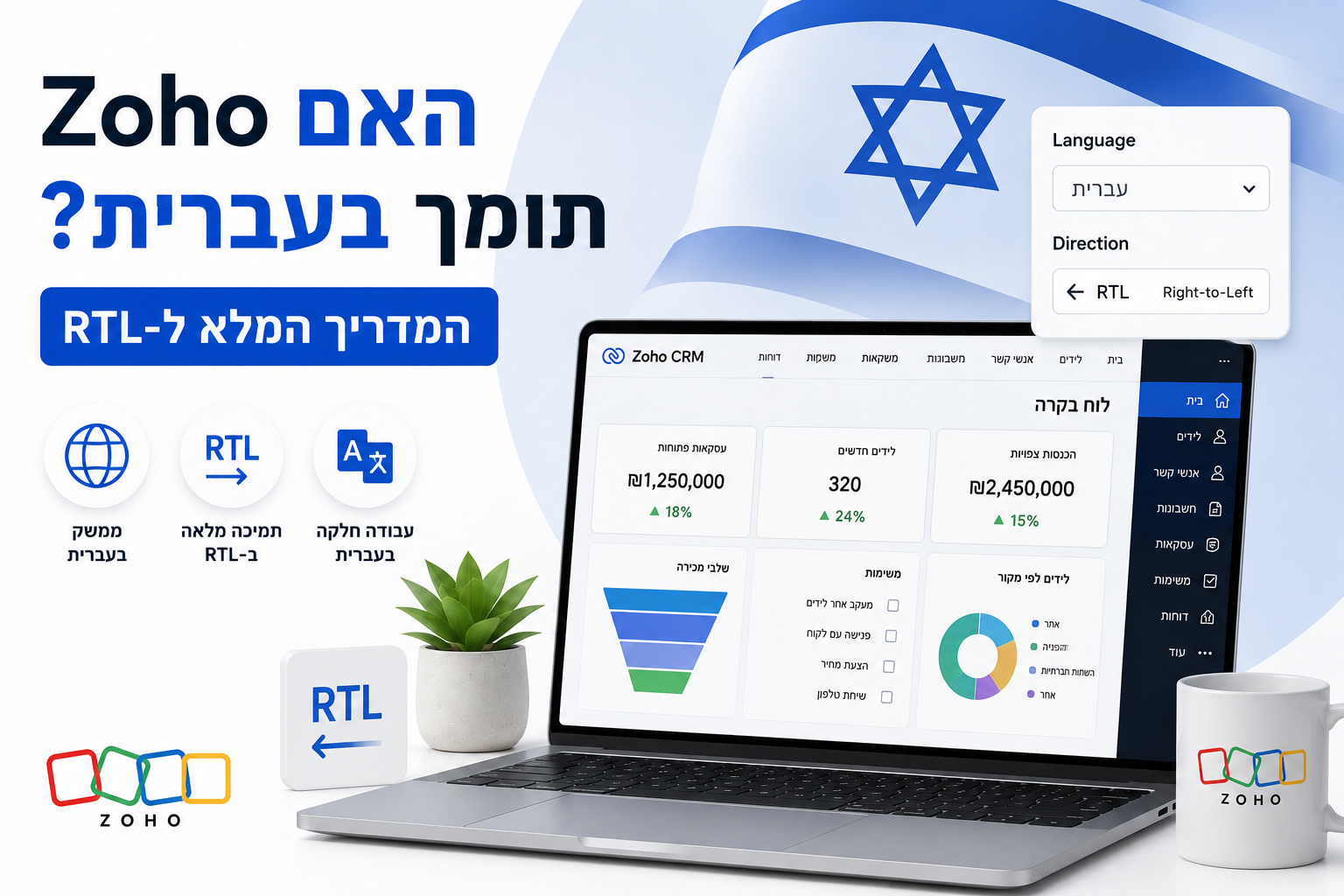
תמיכה בעברית היא שאלת התוכנה החשובה ביותר לרוב העסקים בישראל, ורוב ספקי ה-SaaS הבינלאומיים נכשלים בה. או שהם מציעים תרגום בלי RTL — מה שמייצר ממשק שבור ולא ניתן לשימוש — או שהם בכלל לא תומכים בעברית. Zoho היא אחת מהפלטפורמות הבודדות הגדולות שתומכות בעברית באמת: עם פריסת RTL נכונה, תרגומים בוגרים, ומפת דרכים פומבית להעמקת ההשקעה. המדריך הזה מכסה בדיוק מה עובד, מה לא, ואיך להגדיר עברית ברחבי החבילה.
התשובה הקצרה: כן, Zoho תומך בעברית באמת
עברית היא אחת מ-28+ השפות הנתמכות רשמית ב-Zoho CRM, וכיסוי דומה קיים ברוב המוצרים העיקריים של החבילה. המילה "באמת" כאן חשובה — Zoho לא רק מתרגמת טקסט. הממשק עצמו מתהפך כשבוחרים עברית, כך שהניווט זורם מימין לשמאל, סרגלי הצד עוברים לצד ימין, וההיררכיה הוויזואלית תואמת את כיוון הקריאה הטבעי של דוברי עברית. זה ההבדל בין תמיכה RTL אמיתית לבין מה שרוב ספקי ה-SaaS מכנים "תמיכה בעברית" אבל הוא בעצם תרגום טקסט בלבד.
למה RTL חשוב (ולמה תרגום בלבד לא מספיק)
כשאפליקציה עסקית מתורגמת לעברית בלי RTL, התוצאה היא ממשק לא שמיש לעבודה יומיומית. דמיינו לעצמכם לקרוא משפט מימין לשמאל בזמן שהכפתורים, התפריטים ושדות הטופס עדיין זורמים משמאל לימין. העין נאלצת לקפוץ. טפסים מבקשים למלא שדות בסדר הפוך מכיוון הקריאה הטבעי. דוחות הופכים למבלבלים. מימוש RTL אמיתי הופך את כל הממשק — סרגל הצד עובר ימינה, כפתורי OK ו-Cancel מחליפים מקום, חיצי dropdown מתהפכים, ויישור הטקסט תואם את כיוון הקריאה. זה מה ש-Zoho מספקת, וזה מה שרוב המתחרות הבינלאומיות לא.
אילו אפליקציות של Zoho תומכות בעברית מלאה + RTL
האפליקציות הבאות מציעות תרגום עברי מקיף ועוד ממשק RTL אמיתי שבו הפריסה מתהפכת. אלה האפליקציות שאפשר לפרוס בביטחון לצוות דובר עברית.
- Zoho CRM — עברית מלאה בלידים, אנשי קשר, עסקאות, דוחות, דשבורדים ותבניות אימייל. 28 שפות נתמכות סך הכל.
- Zoho Mail — היפוך ממשק RTL מלא מאז 2022. כל ממשק האימייל מתהפך לעברית.
- Zoho Workplace — חבילת הפרודוקטיביות (Mail, Writer, Sheet, Show, Cliq, Meeting) תומכת ב-RTL ברוב הרכיבים.
- Zoho Sheet — תמיכת RTL לגליונות אלקטרוניים, כולל סדר עמודות ושורת נוסחאות.
- Zoho Books — ממשק חשבונאי בעברית עם חשבוניות ודוחות RTL.
- Zoho Creator — פריסת RTL לאפליקציות מותאמות. אפשר לבנות אפליקציות פנים-ארגוניות בעברית והממשק יתהפך למשתמשי הקצה.
- Zoho SalesIQ — תמיכת RTL עברית נוספה לאחרונה. גם דשבורד המפעיל וגם וידג'ט הצ'אט באתר תומכים בעברית.
- Zoho Forms — תמיכה בעברית עם פריסות טופס RTL.
Zoho CRM בעברית: למה לצפות
ל-Zoho CRM יש את המימוש הבוגר ביותר של עברית בחבילה. כשמפעילים עברית ברמת הארגון או המשתמש, כל הממשק מתהפך: סרגל המודולים עובר לצד ימין, תפריטי dropdown נפתחים לצד שמאל, תוויות שדות מיושרות לימין, ודוחות הופכים את סדר העמודות שלהם. שדות מותאמים שאתם יוצרים יכולים להיקרא בעברית, והם יופיעו נכון בדפי פרטים, תצוגות רשימה, תוצאות חיפוש ודוחות מיוצאים. שלבי Pipeline, בעלי עסקאות, ורשומות אנשי קשר כולם מציגים טקסט עברי נכון עם טיפול דו-כיווני נכון — כולל תוכן מעורב שבו שם של לקוח בעברית מופיע ליד כתובת אימייל באנגלית.
Zoho Mail בעברית: מקרה יוצא דופן
התמיכה של Zoho Mail בעברית ראויה לציון מיוחד כי היא מתחרה ישירות ב-Gmail וב-Outlook, ולשתיהן יש מימוש עברי חלש יותר. ב-2022 השיקה Zoho Mail היפוך UI RTL מלא בכל ה-Mailsuite, כלומר תיבת הדואר, חלון הכתיבה, פאנל ההגדרות והיומן כולם מתהפכים למשתמשי עברית. לא צריך להפעיל הגדרת RTL נפרדת — בחירת עברית כשפת תצוגה מפעילה אוטומטית את הפריסה ההפוכה. עבור ארגונים ישראלים שעוברים מ-Gmail או Outlook לספק אימייל זול יותר, זו אחת הסיבות החזקות לבחון את Zoho Mail ברצינות.
Zoho Books בעברית: קריטית לזרימות חשבונאות ישראליות
Zoho Books תומכת בעברית בכל זרימת החשבונאות — חשבוניות, הצעות מחיר, הוצאות, רשומות ספקים ודוחות. ניתן להפיק חשבוניות בעברית עם פריסת RTL נכונה, מה שחיוני לעסקים ישראליים ששולחים חשבוניות ללקוחות מקומיים. שקל ישראלי (ILS) נתמך כמטבע ראשי, וניתן להגדיר טיפול במע"מ עבור שיעורים ישראליים. אזהרה חשובה אחת: דיווח לרשות המסים הישראלית (כמו פורמט ה-CSV הסטנדרטי שנדרש מטעם הרשות) דורש בדרך כלל אינטגרציה דרך partner ולא נבנה ישירות לתוך Zoho Books. רוב ההטמעות הישראליות משתמשות בתוסף שותף ייעודי או משלבות את Zoho Books עם כלי חשבונאות ישראלי מקומי להגשת המס הסופית.
איך להפעיל עברית ב-Zoho
הפעלת עברית פשוטה אבל מתבצעת בכמה רמות. ניתן להגדיר כברירת מחדל לכל הארגון, או פר משתמש. הזרימה הטיפוסית:
- ברירת מחדל ארגונית — נקבעת ב-Zoho Directory (מסוף הניהול). כל המשתמשים החדשים יקבלו את השפה שנבחרה כברירת מחדל.
- החלפה פר משתמש — כל משתמש יכול לשנות את שפת התצוגה האישית בהגדרות הפרופיל בלי להשפיע על אחרים.
- חריגות פר אפליקציה — חלק מהאפליקציות (Mail, Workplace) יורשות מהגדרות חשבון Zoho הגלובלי; אחרות צריך להגדיר בתוך כל אפליקציה.
- נדרש רענון דפדפן — אחרי שינוי השפה, רענון דף מפעיל את פריסת ה-RTL. השינוי מיידי לאחר הרענון.
- תוכן הפונה ללקוח — ממשק עברי לצוות נפרד מתוכן עברי שנשלח ללקוחות (למשל תבניות אימייל, תבניות חשבוניות). אותם מגדירים בנפרד בכל אפליקציה.
מגבלות ידועות ופתרונות
התמיכה של Zoho בעברית היא אחת הטובות ב-SaaS עסקי, אבל היא לא מושלמת. הנה ה-rough edges שכדאי להכיר לפני פריסה.
- Zoho Payroll לא מותאמת לישראל — רוב החברות הישראליות עדיין מצמידות Zoho One ל-Hilan או Michpal לעיבוד שכר בפועל.
- תוספי Marketplace משתנים — אפליקציות צד שלישי ב-Zoho Marketplace עשויות לכבד או לא לכבד RTL. כדאי לבדוק כל תוסף לפני אימוץ.
- תבניות אימייל HTML — תבניות HTML מותאמות צריכות במפורש מאפיין dir="rtl" וסגנונות יישור-ימני. תבניות ברירת מחדל מטפלות בזה אוטומטית.
- חלק מתיעוד העזרה ב-Help Center של Zoho באנגלית בלבד — ממשק המוצר העברי בוגר, אבל מסמכי תמיכה בעברית עדיין מורחבים.
- טקסט דו-כיווני בדוחות — רוב הדוחות מטפלים היטב בתוכן מעורב עברית + אנגלית, אבל מחרוזות מעורבות שפה ארוכות יכולות לפעמים להיראות לא צפוי. בדיקה ויזואלית של דוחות מורכבים מומלצת.
תמיכה בעברית: Zoho מול המתחרות
תמיכה בעברית ו-RTL היא התחום שבו Zoho בולטת בצורה הברורה ביותר על פני המתחרות הבינלאומיות. הנה איך זה נראה.
| פלטפורמה | טקסט בעברית | פריסת RTL אמיתית | חשבוניות/טפסים בעברית | מתאים בעיקר ל |
|---|---|---|---|---|
| Zoho | ✅ מלא | ✅ היפוך מלא | ✅ כן | עסקים ישראליים שצריכים עברית מלידה |
| Salesforce | ✅ מתורגם | ⚠️ חלקי | ⚠️ דורש התאמה | ארגונים גלובליים שעיקרם אנגלית |
| HubSpot (Pro) | ⚠️ תרגום מוגבל | ❌ לא | ❌ לא | ארגוני שיווק שפועלים באנגלית |
| HubSpot Free | ❌ לא | ❌ לא | ❌ לא | לא מומלץ לצוותים דוברי עברית |
| Pipedrive | ❌ לא | ❌ לא | ❌ לא | לא מומלץ לצוותים דוברי עברית |
| Microsoft Dynamics 365 | ✅ מתורגם | ⚠️ חלקי | ✅ כן | ארגונים על Microsoft stack |
| Priority Software | ✅ ילידי | ✅ ילידי | ✅ ילידי | ארגונים ישראלים מבוססי ERP |
Best Practices לצוותים ישראלים שמפרסים Zoho בעברית
אחרי עשרות הטמעות Zoho בעברית, אלה הדפוסים שמייצרים תוצאות טובות באופן עקבי.
- הגדירו עברית כברירת מחדל ארגונית — אל תאלצו כל משתמש להחליף לבד. זה מבטיח שעובדים חדשים מקבלים עברית אוטומטית.
- השתמשו בעברית לשמות מודולים ושדות — גם אם Zoho מאפשרת לערבב שדות באנגלית עם ממשק בעברית, מתן שמות לשדות בעברית תואם לציפיות המשתמשים ומונע חיכוך קוגניטיבי.
- תקננו תבניות הפונות ללקוחות בעברית קודם — חשבוניות, הצעות מחיר, חתימות אימייל. גרסאות אנגלית אפשר להוסיף כחלופות.
- בדקו אינטגרציות צד שלישי בקפידה — כל דבר מ-Zoho Marketplace, קוד Deluge מותאם, או אינטגרציות webhook חיצוניות צריך להיבדק להתנהגות RTL לפני go-live.
- אמנו משתמשים חדשים בממשק העברי — גם אם הם נוחים באנגלית, אימון בשפה שבה הם יעבדו ביום-יום מייצר אימוץ מהיר יותר.
- אל תערבבו שפות בתוך טקסט של רשומה יחידה — עברית + אנגלית באותו שדה תיאור נתמכים, אבל מבחינה סגנונית עדיף לשמור על רשומה בשפה ראשית אחת עם חלופות מתורגמות אופציונליות.
המבט קדימה ב-2026: ההשקעה של Zoho בעברית גוברת
עם הודעת פתיחת המשרד בתל אביב בדצמבר 2025, Zoho התחייבה פומבית להמשך עבודת תרגום ולהעמקת ההשקעה בממשק העברי. החברה ציינה במפורש "ממשק עברי עמוק יותר ותמיכה טכנית" כסדר עדיפויות למשרד המקומי החדש, יחד עם מערכת שותפים מקומיים חזקה יותר. עבור עסקים ששוקלים כעת בין Zoho לאלטרנטיבות, המסלול הזה משמעותי: ה-rough edges בעברית שקיימים היום מטופלים באופן פעיל, בעוד שרוב המתחרות הבינלאומיות לא משקיעות באופן דומה בשוק הישראלי.
סיכום
Zoho מציעה את התמיכה העמוקה ביותר בעברית ו-RTL בקרב פלטפורמות עסקיות בינלאומיות גדולות, והפער הזה צפוי לגדול ככל ש-Zoho ממשיכה להשקיע בשוק הישראלי דרך המשרד החדש בתל אביב. עבור צוותים ישראלים, זו לא רק שאלת תרגום — זה משפיע ישירות על פרודוקטיביות יומיומית, מקצועיות מול לקוחות, וכמה טבעית העבודה במערכת. צוות 1T Solutions מטמיע את Zoho בעברית לעסקים בישראל במחיר קבוע, כולל תרגום שדות מותאמים, תבניות אימייל בעברית ועיצוב חשבוניות בעברית. צרו איתנו קשר לשיחת אפיון ללא עלות.